Poster Guidelines
In-person Posters
Please note that APA 2026 attendee badges will be required for entry into the Poster Hall due to its location within the Solutions Center. Poster presenters are not exempt from this requirement and security guards will be checking badges at the entrance.
APA will provide boards mounted on stands in the poster hall. The poster board surface area is 4’ (122cm) high and 6’ (183 cm) wide. Your place among the poster boards will be indicated by the number listed next to your poster in the APA 2026 program (e.g., A-1, A-2).
Please arrive 10 minutes before your session starts to set up your poster. Thumbtacks will be provided. When your session ends, please immediately remove your materials from the board so that the next group of poster presenters can set up.
We also encourage in-person poster participants to submit their poster to the virtual poster hall by uploading a digital copy of their poster to the APA 2026 platform. While not required, adding your poster to the virtual hall makes your poster available to all attendees from the start of APA 2026 through December 2, 2026.
Virtual Posters
About the Virtual Poster Hall
As a virtual poster presenter, your poster and optional explainer video will be available in the virtual poster hall from the start of APA 2026 through December 2, 2026, giving your work a longer window of visibility than an in-person poster presentation on its own. Attendees can visit the virtual poster hall at any time to browse posters and watch explainer videos.
Virtual Poster Instructions
Virtual poster presenters must upload their poster to the APA 2026 platform. Log in details and instructions will be provided via email this summer. For assistance, please email meetings@apa.org. As a reminder, virtual poster presenters are required to register for APA 2026 and pay the appropriate registration fees.
All virtual posters must be uploaded as a PDF. You will receive an email from APA in June with information about how to upload your poster to the virtual platform. You also have the option of uploading a short explainer video to accompany your poster. These videos are most effective when under five minutes.
Best Practices
It's easy to get lost in the details and want to showcase as much information as possible on your poster, but the key to an engaging poster that keeps a reader's attention is to focus on three points: be clear, be concise, and use design effectively.
Be Clear
Ask yourself, “What would I need to know if I were viewing this material for the first time?” And then state that information clearly.
- Have you provided all the obvious information?
- Will a casual observer understand your major findings after a quick look?
- Will a more careful reader learn enough to ask informed questions?
Be Concise
Keep it simple. Place your major points on the poster and save the non-essential, but interesting, highlights for follow-up discussion. Be selective. Your final conclusions or summary should leave observers focused on a brief statement of your most important findings.
- Is the sequence of information evident?
- Is the content being communicated clearly?
Use Effective Design
The design of your poster should reflect your goals to convey your research and findings clearly and effectively. We recommend using our own APA mod template of the Better Poster — a newer approach that focuses on the central message more explicitly.
Whatever format you choose, be sure to design for accessibility.
- Pay attention to text size, font, and spacing.
- Use a larger font size (18pt or larger), sans serif fonts such as Arial or Calibri, and ample white space between lines of text.
- Use high contrast color schemes.
- Stick to dark text on white or off-white backgrounds, or white text on a black or dark background. If you're incorporating other colors, check their level of contrast with online tools like Multiple Color Contrast Checker.
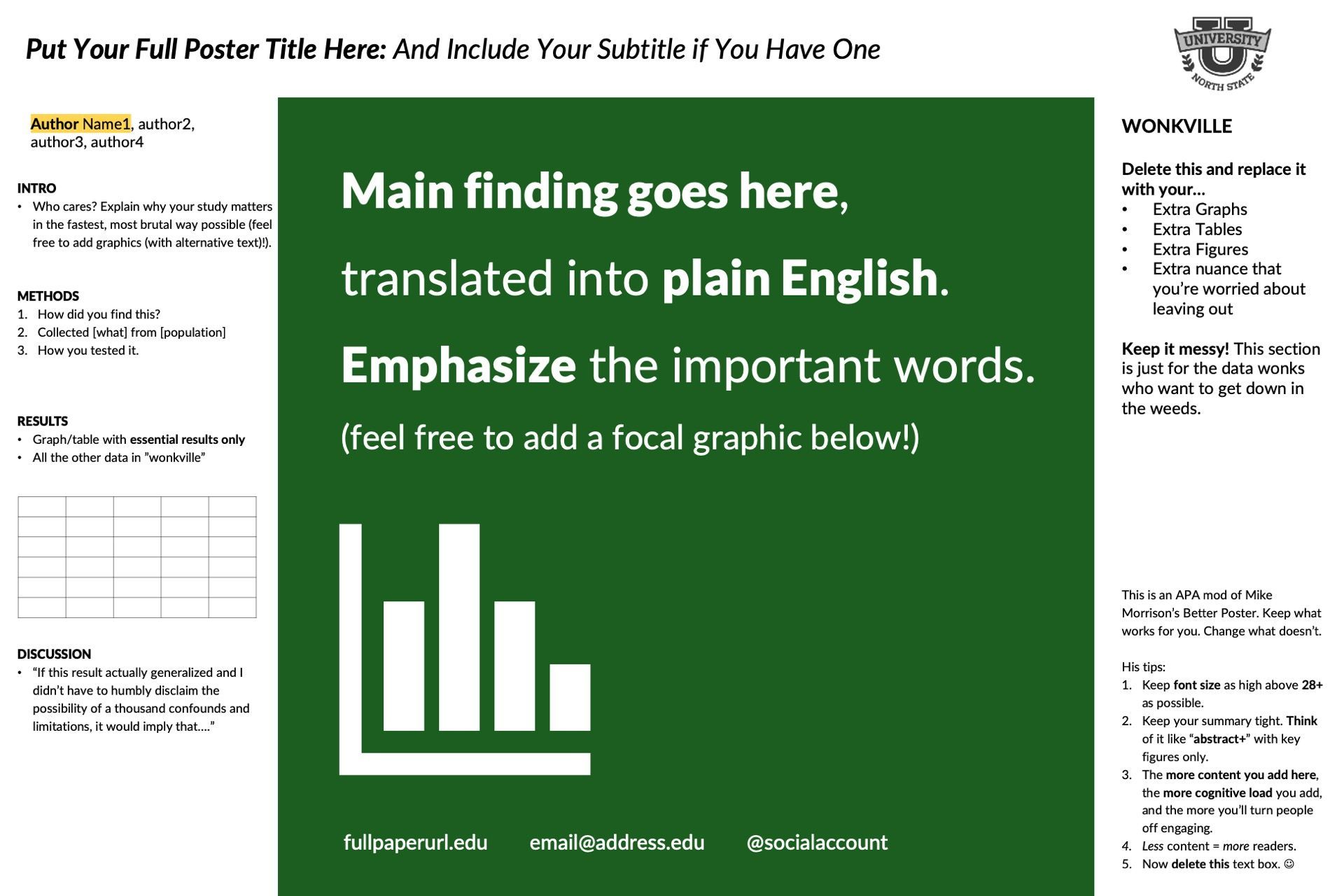
Why use the “Better Poster” APA mod?
- It fosters questions and discussion with your viewers
- It’s easy to identify critical takeaways
- It’s visually appealing and eye-catching, which makes people more likely to stop and read more
- It encourages presenters to be creative, think about how to translate their findings, and focus on what's important
- It has been designed with
accessibility for all attendees in mind